Summary
- Content gaps are the spaces between what your organization specifically needs to train on--internal policies and procedures--and what a default training library covers.
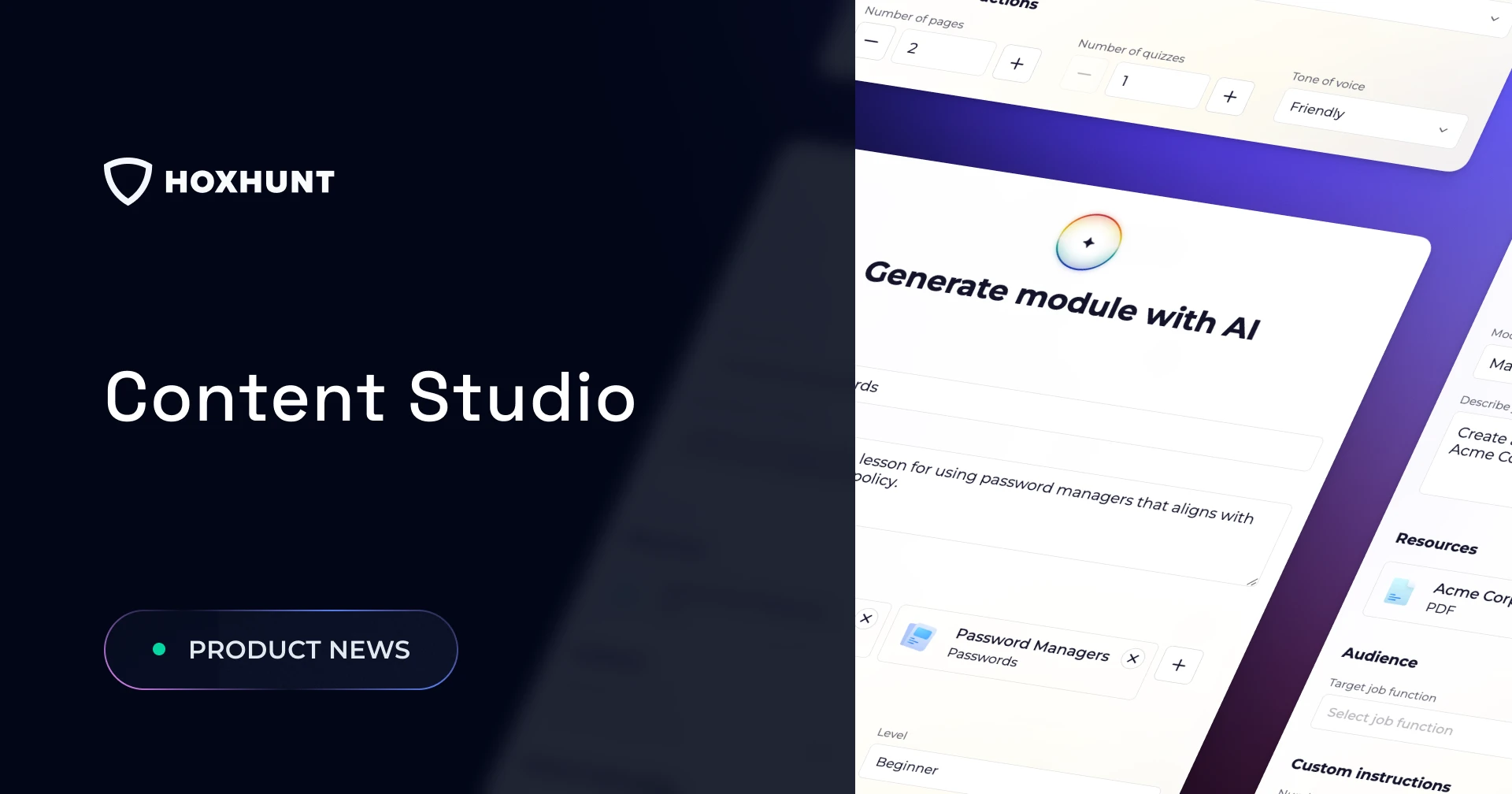
- Content Studio is powered by Hoxhunt's new AI Content Generator, which turns a short prompt and your own documents into a custom module in minutes.
- Publishing control: the AI drafts, but admins decide. Every module stays a draft until a person reviews and publishes it.
- Branded awareness training. Custom themes put your colors and fonts on the whole training experience, in light and dark mode, so modules look like yours instead of a vendor's.
Content Studio closes the content gap by giving awareness teams the equivalent of an on-demand communications and instructional design team. Create customized training modules in minutes using AI and your own source materials. Instead of spending days building your own content or waiting for a vendor to do it, security teams can rapidly transform policies, procedures, incident learnings, and business-specific requirements into engaging, branded training that feels relevant to employees and drives meaningful behavior change.
Security awareness managers are expected to deliver training on organization-specific risks, policies, procedures, and incidents that no off-the-shelf content library can anticipate. Traditional training libraries satisfy requirements around basic topics like phishing, passwords, and data handling. But they can't keep pace with new internal policies, regulatory requirements, role-specific workflows, or lessons learned from real-world incidents.
Why filling the content gap matters for you
Let's set the stage.
Legal publishes a new vendor access policy on Monday. By Wednesday, someone asks the security team to get a training out on it. And the training library, deep as it is on phishing and passwords, has nothing on a policy that didn't exist last week.
So the awareness manager opens a slide template and starts writing training by hand. Or the policy goes untaught, and the organization finds out how well that oversight worked at the next audit. Both outcomes have the same cause: the content you most need to teach is the content no vendor library can ship.
Content Studio, the new home for training modules in Hoxhunt security awareness training, exists to fix this. Its AI Content Generator turns that vendor access policy into a draft training module, a standalone lesson of pages and quizzes, in minutes . This post covers where the content gap comes from, how the AI Content Generator closes it, and how to make the result sound and look like it came from your own team.
What is the content gap in security awareness training?
The content gap is the distance between the topics a default training library covers and the topics your organization actually needs to train on.
Default libraries are built for the basics and generalities: phishing, passwords, data handling. They can't cover your policies, your procedures, or the lessons you owe employees after a real incident, because no vendor can foresee that.
Four typical gaps:
- Internal policies. Vendor access, acceptable use, a new MFA rollout. Rules that exist only inside your walls.
- Procedures tied to a role. How finance approves a payment, how engineering handles secrets, what support does with a customer data request.
- Regulations as your organization applies them. A generic GDPR or DORA module exists. What it can't cover is how your teams actually meet those rules: your reporting path, your data handling steps, the procedures specific to your business.
- Reinforcement after an incident. A phish that landed, a near miss, an audit finding. The lesson lands hardest in the days right after, not in next year's annual refresh.
Why generic training content gets ignored
Employees ignore training that has nothing to do with their job. They tune out, and they can smell a template.
A generic training module, the short lesson an employee actually sits through, gets completed, forgotten, and logged as success on a dashboard. That's activity masquerading as risk reduction. A module that names your systems, uses your terminology, and references the policy an employee signed last month reads as something worth three minutes of attention.
Engagement isn't a vanity goal here; it's the mechanism. Hoxhunt training holds employee satisfaction above 90% across the install base . Satisfaction isn't the same thing as behavior change, but no training changes the behavior of someone who tuned it out.
How to turn an internal policy into a training module
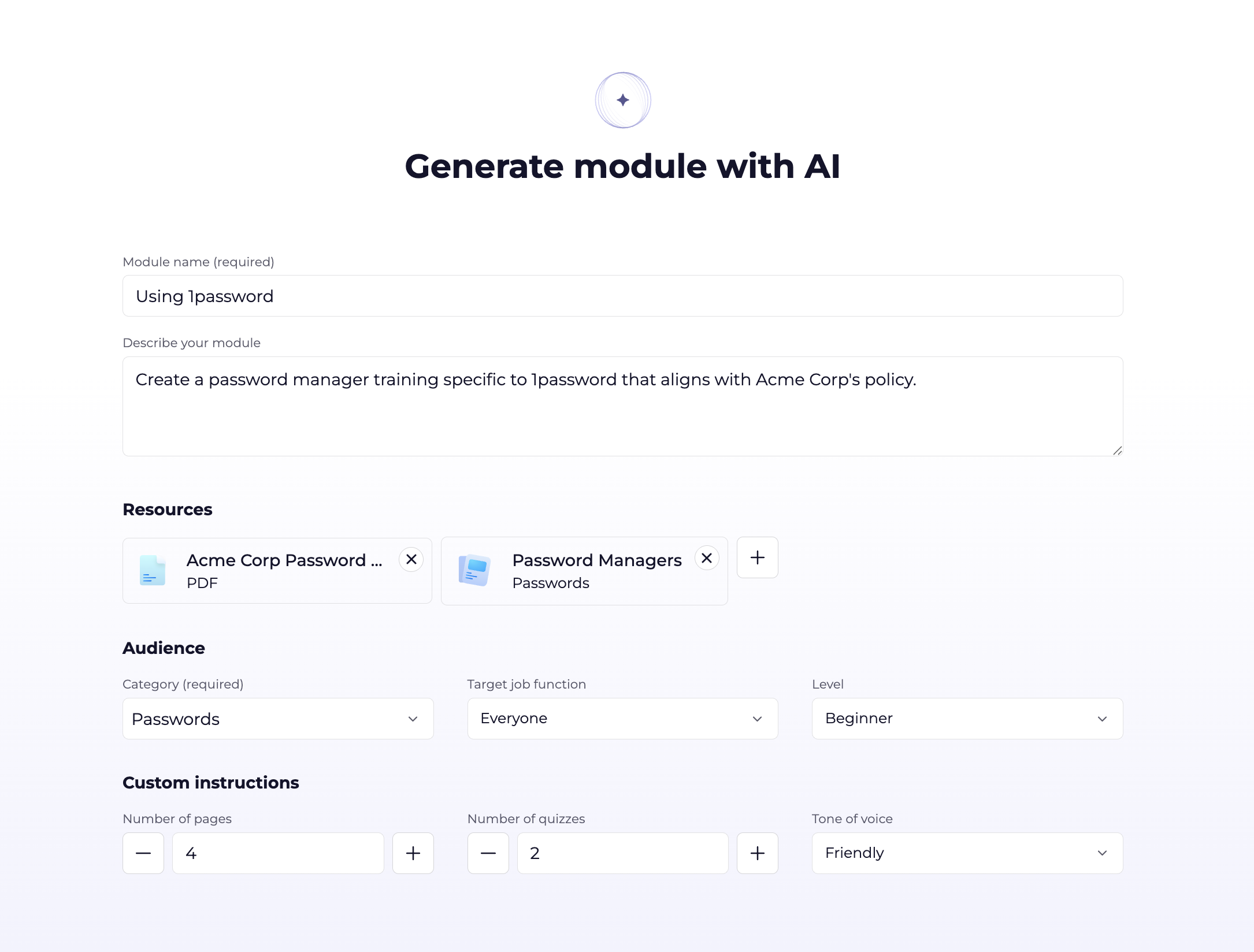
You write a short prompt, attach the policy, set the audience, and the AI Content Generator returns a draft training module with pages and quizzes in minutes .
Take the vendor access policy from the opening. Here's the whole flow inside Content Studio:
- Describe the module. Name it, then tell the generator what to cover in plain language: the topics, the terms that matter, and what the pages and quizzes should focus on.
- Attach your material. Add the resources that should ground the module: documents, a web link, or an existing module from your library. For our example, that's the vendor access policy itself. Grounding the model in your own material is what makes the output sound like your organization instead of a template.
- Pick the audience. Set the job function and level so the language and depth fit the people taking it. Training aimed at the team that actually holds vendor credentials lands harder than one generic module sent to everyone.
- Set the shape. Choose the length, how many quizzes to include, and a tone of voice that fits your culture, from supportive to formal.
- Generate, then read it. The draft lands in the Content Editor in about a minute. Review it, edit it, translate it into any supported language with AI translation, and publish when you're happy with it.
This is what document to training looks like: weeks of work with an instructional designer collapses into a draft that is ready in minutes for your review and expert touch.
Default library vs. custom modules: what changes
Your custom modules and the default library sit side by side in the same content library, ready to drop into the same training packages. You're not replacing one with the other; you're covering what the library never could.
AI writes the first draft. Your team shapes the final.
No training module reaches an employee until someone on your team reviews it, applies their own judgment, and publishes it. The generator hands your experts a running start, not a finished product to rubber stamp.
It's an admin tool. Everything it produces is a draft, and no draft reaches an employee until your team reviews and publishes it. You get the speed of generation and keep full control of what your people see, which is the version of AI a regulated team can sign off on.
The time for that review has to come from somewhere. Admins report up to 13 hours of manual work saved per week, as the Content Studio automates the cohort, reminder, completion, and escalation loop around training. Hours that used to go into chasing completions can go into content and planning instead.
Make the training look and feel like your own
The Theme Editor sits inside Content Studio. Set your fonts, colors, and styles, and a live preview shows the result as you go.
Custom context makes a training module look and feel like it actually came from your organization. Custom themes make it look like one of your own tools instead of vendor software, and familiarity wins hearts and minds better than foreign influence.
Your branding holds across the whole training experience, from the first screen to the results. It even adapts to each employee's light or dark mode preference, so your brand shows up either way.
Seasonal and topical themes are the sleeper feature here. A Cybersecurity Awareness Month look, a regional campaign, an internal security week, each takes minutes to build and ship.
Frequently asked questions
What is the security awareness training content gap?
The content gap is the distance between the generic topics a default training library covers and the specific topics your organization needs to train on. It typically includes internal policies, procedures tied to a role, rules that vary by office or region, and reinforcement after an incident. The AI Content Generator closes it by building custom modules from your own material.
How long does it take to create a custom training module with AI?
The generator produces a draft in about a minute. Counting the time to fill in the prompt and settings, going from a blank start to a finished first draft is typically under five minutes . An admin still reviews, edits, translates, and publishes the module before it reaches employees.
Can AI publish training to employees automatically?
No. The AI Content Generator produces a draft that opens in the Content Editor. An admin reviews, edits, and explicitly publishes it. The tool is admin only, and drafts are never used in live training.
Will training generated by AI sound generic?
Not if you configure it. Set the target job function, level, and tone of voice, and attach your own resources to ground the model. Most generic output comes from missing resources or a tone you didn't set, not from a limit of the tool.
Can I make the training match our brand?
Yes. The Theme Editor sets your fonts, text styles, and colors for both light and dark mode, so every module carries your brand from the first screen to the results.
What languages does the AI Content Generator support?
It generates the source draft in English. You then translate the reviewed module into any of Hoxhunt's 40+ supported training languages with AI translation, inside the same editor .
Ready to fill the content gap? Try out the Content Studio!
Get more cybersecurity insights like this
- Subscribe to All Things Human Risk to get a monthly round up of our latest content
- Request a demo for a customized walkthrough of Hoxhunt