The best phishing simulation tools for 2026, compared on what actually changes employee behavior: realism, AI, gamification, microlearning and reporting.
May 13, 2026
Table of contents
share this post
See Hoxhunt in action
Drastically improve your security awareness & phishing training metrics while automating the training lifecycle.
The best phishing simulation tools in 2026 train employees on the attacks that actually reach them, in email, Microsoft Teams, voice callbacks, SMS and deepfake video, adapt difficulty to each person, and send every report to your security team. Hoxhunt ranks first, followed by Proofpoint, KnowBe4, Cofense, Phished, Ninjio, Mimecast, Infosec IQ and Microsoft Defender.
Compare tools on multi-channel realism, difficulty that adapts per employee, and reporting that reaches incident response.
Track reporting rates alongside click rates: in the Hoxhunt Phishing Trends Report 2026, simulated threat reporting rose 6×, from 10% to 60%.
Most vendors quote per employee. KnowBe4 and Microsoft publish list prices.
If you are one of the security and IT managers shortlisting phishing simulation tools for your security awareness program, the hard part is telling which ones actually change employee behavior and which just generate compliance reports. Below you get the nine platforms enterprises evaluate most in 2026, compared on the dimensions that move real risk, and where each one fits.
What is a phishing simulation tool?
A phishing simulation tool, also called a phishing simulator or phishing simulation platform, sends safe, realistic fake attacks to employees, measures who clicks, reports or ignores them, and delivers training at the moment it matters. The best enterprise phishing simulation platforms run as a continuous program: difficulty is personalized per user, and the reports your employees make feed the security team’s incident response.
In cybersecurity attacks, people are still the most common way in. The human element was involved in 62% of breaches, according to the Verizon 2026 Data Breach Investigations Report (full disclosure: Hoxhunt is one of the report’s data contributors). That is why you test the people as well as the filters.
What to look for in phishing simulation tools in 2026
Seven questions separate the phishing vendors that change behavior from the ones that produce a report for the auditor:
Do the simulations look like real attacks? They should look like what gets past your gateway, from AI-written lures and QR codes to callback numbers and deepfake calls, and they should be refreshed constantly as attacks change.
Which channels are covered? Email is the baseline, and multi-vector attacks are the norm. Ask about Microsoft Teams, SMS, voice and deepfake video, and whether they run inside the program or as one-off campaigns.
Does difficulty adapt to each employee? A fixed template schedule bores your strongest people and overwhelms your weakest.
What happens after a click, and after a report? Instant feedback and a short lesson at the moment of action build the habit. Punishment builds avoidance.
Does a report reach incident response? A simple report button everywhere your employees work, with reports routed to your security operations center (SOC) or security information and event management (SIEM) tool.
How much runs on its own? Count the admin hours per week. Scalable phishing testing solutions handle scheduling, targeting and follow-up training for you.
What can you show the board? Reporting rate, time to report and real-threat reports tell you more than a click rate.
Phishing simulation software comparison (2026)
How the nine phishing simulation platforms compare on the dimensions that decide whether your employees change behavior. Gamification and microlearning are where adaptive, behavior-first tools separate from static template libraries.
Tool
Realism and channels
AI and adaptivity
Gamification
Microlearning
Best for
Hoxhunt
Email, QR codes (quishing), Teams, callback voice, SMS and deepfakes
adaptive difficulty
AI localization
per-user adaptive personalization
Points, badges, leaderboards
instant feedback
Continuous micro-training on every interaction
training packages with SCORM export to your LMS
Enterprise behavior change and measurable risk reduction
Proofpoint
Email, SMS and QR code simulations
AI ThreatFlip turns real attacks into templates; ask to see one built from an email your own employees reported
AI-assisted simulations and learning paths set by user risk; ask which risk data drives the assignment in your plan
Interactive dashboards that reinforce progress; ask to see the employee view
Micro-learning, just-in-time guidance and auto-enrollment by risk level; check which risk data sets the level
Organizations standardizing on Proofpoint security products
KnowBe4
Email, QR code, callback and vishing simulations
AI-generated templates, and AI that selects a template for each user from its library based on that user’s training and phishing history; ask how difficulty changes for one user over a quarter
training content in 47+ languages
Not listed
SecurityTips or remedial training after a failed test
Broad template libraries and compliance coverage
Cofense PhishMe
Email, SMS, voice and QR code simulations
AI-assisted campaign and training creation; ask how much editing a generated campaign needs
Not listed
Targeted reinforcement where employees need more practice; ask how those employees are picked
Teams with dedicated admin time to build campaigns
Phished
Dynamic, AI-tailored templates; ask to see how they change for a repeat clicker
AI-driven simulations that adapt to user behavior; test the adaptation on your own pilot group
Not listed
Click-triggered on-fail microlearning
Mid-market companies and managed service providers (MSPs)
Ninjio
Email, QR code and vishing simulations
AI profile of each user’s emotional triggers; ask how the profile changes a user’s training
Not listed
A new short episode each month, written and animated by Hollywood writers, actors and animators
individualized micro-training
Teams wanting short video-based awareness
Mimecast
Email simulations including QR codes
AI phishing template generator; ask how generated templates are reviewed before they go out
Not listed
Short monthly training sessions
200+ modules in 27 languages
Existing Mimecast email-security customers
Infosec IQ
2,000+ phishing templates
3,000+ role-based training resources
Not listed
Not listed
In-the-moment training after a failed simulation
Content breadth and SCORM delivery through your LMS
Microsoft Defender
Email with link, attachment and QR code (quishing) payloads
operationally focused
Correlates with Defender security data, which requires Defender for Office 365 Plan 2 or Microsoft 365 E5
Not listed
Basic teachable-moment links
Tenants already licensed for Defender for Office 365 Plan 2 or E5 that need basic in-tenant tests
1. Hoxhunt
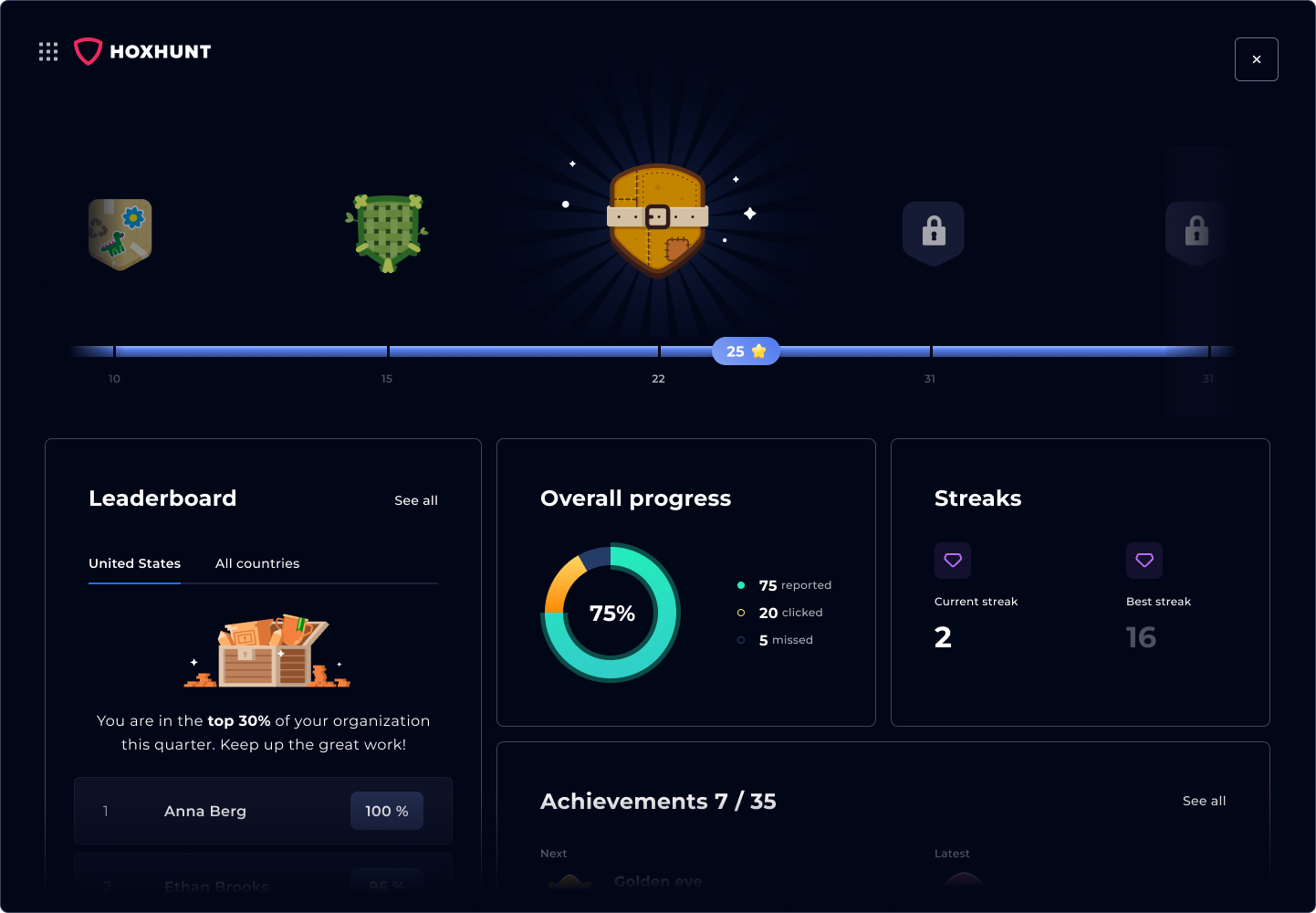
Hoxhunt uses AI and behavioral science to deliver personalized, gamified micro-training that measurably reduces phishing risk. Simulations adapt to each employee’s skill and run across email, Microsoft Teams, callback voice, SMS and deepfake video, and every report your employees make lands in the security team’s response queue and feeds human risk management reporting. Admins can also generate awareness content from internal policies, web links and existing training.
Across Hoxhunt’s 2026 dataset, real-threat detection climbed from 13% to 71% over the training curve (Hoxhunt Phishing Trends Report 2026, pp. 37 to 39).
At a glance
Hoxhunt
Best for
Enterprises that want measurable behavior change across email, Teams, voice, SMS and deepfakes
Pricing
Per employee, quoted after a 30-minute scoping call (Hoxhunt pricing)
Reviews (September 2026)
G2: 4.8/5 from 3,768 reviews
Capterra: 4.9/5 from 338 reviews
Software Advice: 4.9/5 from 338 reviews
TrustRadius: 8.9/10 from 143 reviews and ratings
Hoxhunt pros & cons
Feature
Highlights
Things to consider
Ease of Use
Intuitive interface, smooth onboarding for both admins and end users; low-ops program design helps teams run phishing training continuously without constant campaign babysitting
Focused platform: prioritizes phishing realism, behavior change and human risk reduction over an encyclopedic template library
Engagement
Gamified experience with points, badges, leaderboards, instant feedback, and adaptive difficulty driving high participation and report-first habits
Some leaders question whether badges and streaks are a gimmick
Realism
Simulations mirror real-world threats, including QR codes, MFA fatigue and AI-written lures; AI-driven localization keeps training culturally relevant
Microsoft Teams simulations with the native Microsoft report button; callback phishing that connects the caller to an AI voice agent; deepfake video and voice scenarios
For highly niche regulations or industry-specific requirements, teams should validate whether custom lessons, policy acknowledgement, or complementary compliance modules are needed
Custom Content & Localization
AI-assisted lesson creation from policies, web links, and internal training context; 42-language support, AI translations, editable lessons, branded themes, AI image generation, and policy acknowledgement options
Content Studio brings the AI content generator, AI image generator and AI translation into one editor; browser-based voice phishing lessons use an AI voice agent
Training packages bundle modules into courses with targeting, scheduling, grading and retakes, and the SCORM connector records completions in your learning management system
Expanded Security Awareness Training (XSAT), sold separately, reaches frontline workers, contractors and others who have no Hoxhunt account
Teams should validate content governance, policy accuracy, translation review, brand requirements, approval workflows, and who can edit or publish generated lessons during pilot
Reporting & Analytics
Real-time dashboards and granular user-level insights for CISOs and SOC teams, with human risk metrics that help explain behavior change beyond click rates
Hoxhunt’s Incident Response Automation (sold separately) groups and classifies reports for 90%+ alert reduction, auto-resolves safe reports with feedback rules, and can remove a confirmed phishing campaign from every inbox with Search & Destroy
The Threat Feed shows every threat employees report, without an Incident Response Automation license
Benchmark phishing tests measure a whole audience against one attack at one point in time
Report volume rises as behavior improves, which adds SOC workload unless reports are triaged automatically
Support & Satisfaction
Reviewers on G2, Capterra and TrustRadius frequently praise engagement, realism and ease of use
Smaller market footprint than KnowBe4
Training Frequency
Continuous micro-learning builds lasting resilience and measurable cultural change, while adaptive difficulty helps keep training relevant for both high performers and repeat-risk users
Hoxhunt customers average a 60% reporting rate on simulations
Some employees prefer fewer simulations, so plan cadence and internal communication
2. Proofpoint Security Awareness Training
Proofpoint, whose security awareness product is now sold as Proofpoint ZenGuide, combines phishing simulations with training assigned automatically by risk level, role and behavior, so confirm which risk data drives that assignment. If you run a complex deployment, expect more admin configuration, as some reviewers report.
At a glance
Proofpoint
Best for
Organizations standardizing on Proofpoint security products
Pricing
Quote from Proofpoint sales
Reviews (September 2026)
G2 (Proofpoint ZenGuide): 4.5/5 from 337 reviews
Capterra: no reviews yet under its new name, ZenGuide
Software Advice: no reviews yet under its new name, ZenGuide
TrustRadius: 10/10 from 66 reviews and ratings
Proofpoint pros & cons
Feature
Highlights
Things to consider
Ease of Use
Wide coverage across phishing simulations and compliance training
Setup and admin effort can be complex, especially for smaller teams
Some users report navigation spread across different modules
Engagement
Large template library and role-based training campaigns
Reviewers describe the training as compliance-driven, with lower employee engagement
Realism
Variety of phishing templates, including attachments and role-based scenarios
Voice, deepfake and Teams simulations are not among the channels its product pages list.
Reporting & Analytics
Broad compliance reporting for audit requirements, though some reviewers find the interface fragmented for board-level visuals
Compliance coverage for regulated industries
Some reviewers find the interface fragmented and less intuitive for board-level risk visuals
Support & Satisfaction
Decent reviews across the main review platforms
Reviewers cite “too many templates to select and make decisions” and a steep learning curve
Training Frequency
Auto-enrolls users in training based on their risk level, role and behavior; ask which risk data sets the level in your plan
Check how the risk levels that drive auto-enrollment are calculated before you rely on them for cadence.
3. KnowBe4
KnowBe4 has a long track record in security awareness, offers training content in 47+ languages, and it added simulated vishing calls in July 2026. It is straightforward to deploy, and you should expect what some customers report: content repetition and an admin learning curve for advanced features.
At a glance
KnowBe4
Best for
Teams that want a long-established vendor with training content in 47+ languages
Pricing
Published list prices up to 1,000 seats on a three-year term: Foundation plan $2.40 to $1.63 and Advanced plan $3.75 to $2.79 per seat per month by seat band; quote above 1,000 seats (KnowBe4 pricing, September 2026)
Reviews (September 2026)
G2: 4.6/5 from 2,402 reviews
Capterra: 4.7/5 from 27 reviews
TrustRadius: 9/10 from 1,168 reviews and ratings
KnowBe4 pros & cons
Feature
Highlights
Things to consider
Ease of Use
Quick campaign setup: many admins report creating and launching tests rapidly.
Familiar UI for teams that have used KnowBe4 for years.
The deep feature set can feel cluttered, and new admins need time to learn it.
Advanced campaign and reporting configuration occasionally requires export to business intelligence (BI) tools for custom queries.
Engagement
Training content in 47+ languages, assigned by role, risk level and behavior; the 1,000+ piece library is in the Advanced plan, and Foundation has 200+.
Built-in coaching and the Phish Alert Button support reporting and teachable moments, though some reviewers call the default training “generic”.
Strong compliance coverage for regulated industries.
Some reviewers call default training “generic” or “cartoonish” for professional audiences.
Risk of fatigue if admins reuse the same modules without tailoring or rotation.
Quiz questions and assessments have been criticized for ambiguous wording.
Some employees perceive phishing tests as “gotchas” when the rollout is not handled carefully.
Realism
Wide variety of phishing test types: links, attachments, credential harvesters and callback tests.
Regularly updated templates tied to current events and observed attack trends.
Covers standard email-based attack types.
Savvy users sometimes spot vendor-specific telltale markers if admins don’t customize sender and domain settings.
Reporting & Analytics
Risk scoring, phish-prone percentage (the share of users likely to click) and exportable data, though some organizations add BI tooling for custom executive requests.
60+ built-in reports and executive dashboards; check that they answer your board’s questions without exports.
The Phish Alert Button lets employees report suspicious emails, and its reporting rate appears in the dashboards.
Some organizations find the built-in dashboards too limited for custom executive requests and add BI tooling, while others praise the API access for custom metrics.
Large volumes of raw data can require careful filtering to produce board-friendly summaries.
Support & Satisfaction
Widely adopted with a long track record and broad community of users and partners.
Generally positive reviews of support and onboarding.
Some customers report aggressive sales and upselling behavior in renewal cycles.
Some reviewers perceive that innovation has slowed.
Training Frequency
Continuous training and testing, with SecurityTips delivered in Slack, Google Chat and Microsoft Teams; reviewers note it needs active admin curation to stay fresh.
Flexible scheduling and template rotation to avoid predictability.
Fits an ongoing compliance or awareness program.
Without careful rotation and localization, frequent tests can cause user fatigue or resentment.
Requires active admin curation to keep content feeling fresh and relevant.
4. Cofense PhishMe
Cofense centers on report-phish workflows and SOC integration, turning end-user reports into triage input for incident response (IR) teams, which works best when your security operations team has time to act on them. Its simulations cover email, SMS, voice and QR codes, and admins build role-based, targeted campaigns by hand, which adds operational overhead if your team has no dedicated SOC resources.
At a glance
Cofense PhishMe
Best for
Teams with dedicated admin time to hand-build role-based campaigns
Pricing
Quote from Cofense sales
Reviews (September 2026)
G2: 4.4/5 from 5 reviews
Capterra: 4.7/5 from 9 reviews
Software Advice: 4.7/5 from 9 reviews
TrustRadius: 7.7/10 from 52 reviews and ratings
Cofense pros & cons
Feature
Highlights
Things to consider
Ease of Use
Utilitarian, admin-heavy workflow rather than a gamified end-user experience.
Reporting paths from Phish Alert to triage (from PhishMe into SOC pipelines), which need coordination with your SOC and mail team.
Suitable for teams that have operational processes to act on incoming reports.
Not plug-and-play for very small teams: admin work and tuning need security operations involvement.
Onboarding can require more internal coordination (SOC, IR, mail ops).
Engagement
End-user reporting is simple and designed to feed report data to the security team.
Engagement mechanics are utilitarian rather than game-like.
May require supplementary awareness content to increase positive learning engagement.
Realism
Role-based lures, attachments and credential-harvest pages that admins build by hand.
Campaigns can target specific teams such as finance or HR.
Delivery controls help avoid spam-filter false negatives by targeting times when users are active.
Customization depth means more admin work to craft high-fidelity campaigns.
Organizations without a dedicated campaign author may underutilize the platform’s advanced scenarios.
Reporting & Analytics
Report data surfaces repeat clickers and feeds triage workflows, though reviewers say tuning needs security operations involvement.
Cofense describes its reporting as board-ready, tracking competency over time; confirm it with a report built from your own pilot data.
Exports and integrations enable monthly stakeholder reporting and SIEM ingestion.
Check how much of a board report comes ready-made and how much your team builds from exports.
Support & Satisfaction
Managed Phishing Defense is offered as a separate service.
Documentation and onboarding for advanced features can be uneven, and some reviewers note a longer ramp time.
Smaller teams may find the product over-specified for their needs.
Training Frequency
Supports scheduled and targeted campaigns tied to SOC metrics.
Can prioritize follow-up training for repeat offenders when combined with automated triage, which adds setup work for your SOC.
Frequent, high-fidelity campaigns increase admin overhead unless some elements are automated or managed.
If behavior change and engagement are your primary goal, pairing with a gamified tool may help.
5. Phished
Phished combines AI-tailored phishing simulations with click-triggered microlearning. The product is built for mid-market companies and managed service providers (MSPs), with 250 partners worldwide; for larger rollouts, check enterprise references, localization and channel coverage.
At a glance
Phished
Best for
Mid-market companies and managed service providers (MSPs)
Pricing
Quote-based: plans shown without prices, “Ask for advice” (Phished pricing, September 2026)
Reviews (September 2026)
G2: 4.5/5 from 165 reviews
Capterra: 4.5/5 from 26 reviews
Software Advice: 4.5/5 from 26 reviews
Phished pros & cons
Feature
Highlights
Things to consider
Ease of Use
Fast implementation and straightforward admin flows for mid-market teams and MSPs.
Fewer long-running references from large enterprises than larger, older vendors have; ask for references above 10,000 users.
Confirm regional service levels (SLAs) and whether data can stay in the EU for multinational rollouts.
If you need concierge or managed options, confirm availability up front.
Engagement & Microlearning
AI-tailored simulations that adjust to user behavior; test the adaptation on your own pilot group.
A click triggers “nanolearning”, a short explanation of what went wrong.
Concise, action-oriented training content improves short-term retention versus long-form courses.
Per-user cadence can feel “spammy” if not tuned; a 60 to 90 day pilot helps you set frequency.
Focuses on phishing-first microlearning rather than leaderboard-style gamification.
If you require a large catalog of long-form training modules (LMS-style), you may need an additional content library.
Realism & Personalization
Dynamic templates and AI tailoring aim to make simulated phishing emails more relevant to each user, drawing on a template library smaller than some older vendors’.
Automated rotation reduces predictability and improves test fidelity.
The Phished Academy adds training sessions, cyber hygiene tips and threat alerts.
The template library is smaller than those of some larger, older vendors, so plan extra authoring for industry-specific scenarios.
Review localized templates for each EU locale before a global rollout.
If you need multi-vector coverage (SMS, voice or deepfake simulations), confirm which channels your plan includes.
Reporting & Analytics
Administrators get immediate insight into simulation results, though several admins request richer drilldowns for board-level visuals.
Several admins request richer drilldowns for board-level visuals and investigations; complex stakeholder reporting may need Power BI or Looker.
If you need PCI, SOC 2 or HIPAA evidence, confirm retention policies and compliance reporting templates; you may need an LMS alongside for audit artifacts.
Support & Satisfaction
Positive peer reviews for onboarding speed and helpful support at mid-market scale.
Growing G2 and Capterra footprint indicating rising adoption and product maturity.
Used by MSPs and service providers for phishing-first training.
A smaller vendor footprint means fewer enterprise-scale case studies in regulated industries.
Check SLA specifics and regional support coverage (EU vs US) before committing to an org-wide rollout.
Training Frequency
Runs ongoing simulations; ask how cadence is set for each user.
Low operational overhead once cadence is tuned.
Over-automation can cause fatigue if campaigns are too frequent; tune cadence and exemptions.
If your program requires scheduled compliance training windows (SCORM or LMS evidence), plan for integration or supplementary training modules.
6. Ninjio
Ninjio delivers short, story-driven microlearning episodes designed for attention and recall, with managed delivery options for low-touch rollouts. If you need continuous, per-user phishing simulations, check simulation depth and cadence options.
At a glance
Ninjio
Best for
Short, story-driven video awareness episodes
Pricing
Quote-based: per-user subscription on a sliding scale by user band (Ninjio how to buy, September 2026)
Reviews (September 2026)
G2: 4.8/5 from 389 reviews
Capterra: 3.7/5 from 3 reviews
TrustRadius: 9/10 from 20 reviews and ratings
Ninjio pros & cons
Feature
Highlights
Things to consider
Ease of Use
Facilitated rollout: client success teams help schedule and manage content.
Simple admin experience that reduces internal campaign overhead.
Managed phishing-as-a-service option available for teams that prefer low ops.
Monthly episodic model may feel slow for teams that want per-user, high-frequency cadence.
Large enterprises should validate managed-service SLAs and scale-readiness via pilot.
Engagement & Microlearning
Short, Hollywood-produced animated episodes that reviewers find entertaining and memorable.
Story-driven format built for attention and recall, delivered as one new episode a month.
A fit if you want short, story-driven video content.
Episodic monthly cadence may not satisfy programs that need continuous, per-user adaptive phishing simulation.
If you want leaderboard-style gamification or very frequent micro-tests, compare against platforms focused on behavior-based training.
Behavioral Focus
Builds behavioral profiles and uses those signals to target training and simulated phishing; ask how the profile changes what a user receives.
Emotional storytelling aims at memory retention.
Simulations focus on awareness; investigation detail for the SOC is lighter than in tools built around incident response.
If you need multi-vector coverage such as SMS or deepfake simulations, confirm scope with NINJIO.
Reporting & Drilldowns
Provides behavioral scoring and adoption metrics, though some admins request richer executive drilldowns.
Some admins request richer executive drilldowns and investigation detail for incident response; complex stakeholder reporting may need Power BI or Looker exports.
Support & Satisfaction
Strong peer praise for onboarding and production-quality content.
Managed support options reduce internal effort for smaller security teams.
Content production quality is a differentiator versus standard computer-based training libraries.
Review scores vary by marketplace, and Capterra sample sizes are small.
Check enterprise references for regulated industry rollouts if you operate in that space.
Training Frequency
Episodic, monthly cadence provides a predictable schedule for end users.
Microlearning episodes are short, easy for end users to consume, and reinforce key behaviors.
Low operational overhead once the episodic schedule is set.
Monthly cadence may be too slow for programs that want continuous simulated phishing at scale.
If your compliance program requires SCORM or LMS evidence or scheduled training windows, confirm integration options.
7. Mimecast Awareness Training
Mimecast combines short scenario video lessons with practical email-based phishing tests and is often chosen by teams already using Mimecast email security. It favors simplicity and fast mid-market rollouts, with an awareness-first focus.
At a glance
Mimecast
Best for
Existing Mimecast email-security customers who want awareness training in the same stack
Pricing
Quote from Mimecast sales; can be bundled into Mimecast plans
Reviews (September 2026)
G2 (Mimecast Security Awareness Training): 4.1/5 from 36 reviews
Capterra: 5.0/5 from 2 reviews
Software Advice: 5.0/5 from 2 reviews
TrustRadius (Mimecast Security Behavior Management, its awareness training): 7.9/10 from 33 reviews and ratings
Mimecast pros & cons
Feature
Highlights
Things to consider
Ease of Use
Fast implementation and straightforward campaign scheduling for typical mid-market deployments.
Low operational friction: admins report simple rollouts and minimal training required.
Well-suited for teams that want lightweight, repeatable awareness programs.
Admin UX has some rough edges at scale (directory integration and complex scheduling); pilot for large rollouts.
Larger enterprises should validate SLAs and integration workflows before full deployment.
Engagement & Microlearning
Short, scenario-driven videos and microlearning that reviewers describe as “fun,” concise, and easy to consume, delivered as short monthly sessions.
Bite-sized lessons that fit into employees’ schedules.
Good option when the goal is broad awareness adoption rather than deep simulation fidelity.
Episodic short-form content may not satisfy teams that need heavy SCORM or LMS libraries or long-form training modules.
If you want leaderboard-style gamification or adaptive per-user training, compare with behavior-focused vendors.
Integration with Email Security
Positioned with Mimecast email security products, a plus if you already run Mimecast’s stack.
Human risk scores across email, endpoint, data and identity, with nudges in Slack and Microsoft Teams; ask which of these data sources your plan includes.
Useful if you want a single vendor for email security and awareness.
If you run a best-of-breed stack (a different secure email gateway or SIEM), validate integration points and data export formats.
Organizations using Office 365 or Entra ID should confirm directory sync and deliverability behavior in their environment.
Phishing Simulation Depth
Provides practical simulated phishing campaigns suitable for baseline awareness and compliance checks.
Effective for standard email-based phishing emails and common fraudulent-email scenarios.
Practical phishing tests paired with video microlearning follow-ups.
Awareness-first product with QR code (quishing) templates; confirm whether your plan includes vishing, SMS (smishing), deepfake voice and MFA fatigue simulations.
If you need SOC integrations, investigation detail, or high-fidelity multi-channel attack simulation, run a proof of concept with a specialist tool.
Support & Satisfaction
Many admins praise onboarding speed and straightforward support for typical mid-market use cases.
Managed rollouts and packaged content reduce internal program design effort.
Good fit where ease and short-format learning are priorities.
Some reviewers call out inconsistent support response times; confirm SLA expectations for enterprise contracts.
Review sample sizes vary, and G2 scores are split between short-video fans and some lower-scoring enterprise reviewers.
8. Infosec IQ
Infosec IQ provides a large catalog in SCORM, the standard e-learning package format, with exports for your learning management system (LMS) for compliance-centric training programs. It provisions learners automatically from your directory; first-time admins may need staged pilots and BI exports to build executive-level visuals.
At a glance
Infosec IQ
Best for
Programs that deliver training through an existing LMS and want a large content catalog
Pricing
Quote from Infosec sales; partner pricing for resellers and MSPs
Reviews (September 2026)
G2: 4.5/5 from 654 reviews
Capterra: 4.0/5 from 2 reviews
TrustRadius: 7.9/10 from 190 reviews and ratings
SoftwareReviews: 7.9/10 from 55 reviews
Infosec IQ pros & cons
Feature
Highlights
Things to consider
Audit-friendly Content Library
3,000+ role-based training resources, with SCORM as a Service streaming modules into your LMS.
Ready-made training modules and compliance-focused content make audit evidence easier to collect.
Good option for teams that must show training completion for regulatory requirements.
A large catalog needs curation to avoid redundancy.
If you need ultra-short microlearning or highly gamified experiences, you may need complementary modules.
Integrations & Automation
Automatic learner provisioning through on-premises Active Directory, Microsoft Entra ID or SCIM identity providers, though some advanced integrations need configuration or API work.
Some advanced integrations need configuration or API work.
Confirm specific SIEM and LMS connector behavior and data mappings for your environment.
Risk-focused Outcomes
Positioned for human risk management reporting; validate the risk metrics during the pilot.
Creating executive-ready slide decks sometimes requires BI exports or light customization to match board templates.
Validate the risk metrics and reporting cadence during the pilot.
Reporting & Exec Visuals
Campaign-level and user-level analytics, though some admins find campaign-spanning reports fiddly.
Some admins find campaign-spanning reports fiddly and use BI tools for custom executive dashboards.
Plan for data-retention and anonymization needs if you must share aggregated results with HR or works councils.
Onboarding & APIs
APIs for common workflows and directory syncing, though some reviewers report API limitations.
Vendor onboarding resources and professional services available for larger rollouts.
First-time admins face a learning curve; reviewers recommend staged pilots and vendor onboarding support.
A subset of reviewers report some API limitations and US-centric support hours; confirm SLA and global support if needed.
9. Microsoft Defender (Attack Simulation Training)
Microsoft’s Attack simulation training runs inside Defender for Office 365 Plan 2 and Microsoft 365 E5, so you can validate mail flow, conditional access and basic phishing scenarios in your own tenant. Microsoft’s documentation lists email techniques with link, attachment and QR code payloads; it has no gamification or per-user adaptive difficulty. You can also see how Hoxhunt compares to Microsoft’s Attack Simulation Training.
At a glance
Microsoft Defender
Best for
Tenants already licensed for Defender for Office 365 Plan 2 or E5 that need basic in-tenant tests
Pricing
Included in Defender for Office 365 Plan 2, listed at $5.00 per user per month paid yearly, and in Microsoft 365 E5 at $60.00 per user per month paid yearly (Microsoft, September 2026)
Reviews (September 2026)
G2: 4.5/5 from 298 reviews
Capterra: 4.6/5 from 242 reviews
Software Advice: 4.6/5 from 242 reviews
TrustRadius: 8/10 from 33 reviews and ratings
The rating covers Defender for Office 365 as a whole; Attack simulation training is one feature of it.
Microsoft Defender pros & cons
Feature
Highlights
Things to consider
Native M365 Integration
Runs inside the Microsoft Defender portal and maps simulation results to Office 365 identities, for tenants with Plan 2 or E5 licensing.
Easy to enable on Microsoft 365 E5, using existing Entra ID and tenant configuration.
Keeps simulation data alongside Defender for Endpoint signals, within the Defender licensing.
Needs Defender for Office 365 Plan 2 or E5 licensing.
Tenant-level configuration (mail flow, connector rules) needs care to avoid test interference with production mail.
Cost & Licensing
Included with Defender for Office 365 Plan 2 and Microsoft 365 E5, so low incremental cost if you already hold those licenses.
No separate vendor procurement required for basic simulation capability.
A baseline while you decide whether to buy a specialist platform.
Not a free, standalone solution without E5 or Defender licensing, and the upgrade can be costly.
Compare licensing costs vs. specialist features to validate total cost of ownership.
Quick, Policy-Focused Simulations
Useful for validating email filters, conditional access, tenant rules, and basic credential-harvest scenarios.
Fast to run policy checks and confirm that rules behave as expected in your tenant.
Helpful for technical teams verifying controls and mail-transport behavior.
Email-based techniques, including QR code (quishing) payloads; no multi-vector SMS, voice or deepfake simulations in Microsoft’s documented technique list.
Not designed to replace a continuous, behavior-driven security awareness program.
Centralized Security Tracking
Results live with Defender security data for correlation with endpoint and identity signals, which requires Defender for Office 365 Plan 2 or E5.
Helps security teams see simulated phishing within their broader threat posture.
Reporting is operationally focused rather than built for board-ready human-risk KPIs.
Executive-ready visuals usually need BI exports or a dedicated platform.
Training & Remediation
Provides teachable-moment links and basic remediation flows inside the tenant.
Good for short, targeted coaching after a simulation run.
Microsoft’s documentation lists training campaigns and modules and no gamification features.
Pair with a dedicated security awareness training platform for ongoing, behavior-based training.
Deliverability & Configuration
Running in-tenant gives realistic inbox behavior for tests when configured correctly.
Helps identify false negatives and false positives caused by email filters and tenant settings.
Requires careful mailbox and directory coordination (whitelisting, mail server rules, email filters) to avoid skewed results.
Misconfiguration can produce false confidence, so start with small, iterative tests.
Phishing simulations beyond email: Teams, voice, SMS, QR codes and deepfakes
Attackers no longer stay in the inbox, so multi-channel phishing simulation is now part of the baseline for an enterprise program. When you compare multi-channel phishing testing platforms, ask two things for every channel: can the tool simulate it, and does it run inside the adaptive program or only as a one-off campaign or service? This is what each vendor lists on its own product pages in September 2026:
Microsoft Teams: simulations run inside adaptive training, and employees report them with the native Microsoft report button and get instant feedback in Teams.
Voice: in callback phishing, the email carries a phone number that connects to an AI voice agent using social engineering to get confidential details; calling counts as a failure, and giving out information as a more severe one.
Deepfake video and voice: generic scenarios sit in the standard library, and Hoxhunt builds custom executive deepfakes with the impersonated person’s consent (how deepfake attacks work).
SMS (smishing): a managed service in which Hoxhunt experts craft and send the messages, and employees report them in the Hoxhunt iOS app.
The bottom line: email-only testing leaves your people untrained on the channels attackers are moving to. Check which channels a tool covers and how each one is delivered before you sign.
AI phishing simulations: what “AI” means in each tool
AI-generated phishing is now the norm rather than a novelty (Hoxhunt Phishing Trends Report 2026), and most cybersecurity vendors now say AI somewhere on the product page. When you evaluate a tool, ask which of these three it actually does:
AI that writes templates. Faster content creation and translation. Useful, and it does not change what each employee experiences.
AI that picks the next simulation for each person. Difficulty and theme follow the employee’s own record, so strong reporters get harder tests and repeat clickers get more practice.
AI that builds a new attack for one person. A spear phishing email generated from the recipient’s role, department and organization, the way a real attacker would use AI.
Hoxhunt does all three. Its skill algorithm sets difficulty per employee, the Agentic Reasoning Engine steers which simulation each person gets using the last seven days of threat intelligence, and the Spear Phishing Agent generates personalized simulations in each employee’s own training language (how adaptive security training works).
How much do phishing simulation tools cost?
Most phishing simulation platforms price per employee per year, and for an enterprise rollout the rate per seat falls as your seat count rises. Only some vendors publish their prices:
Tool
Published pricing (September 2026)
KnowBe4
$2.40 to $1.63 (Foundation plan) and $3.75 to $2.79 (Advanced plan) per seat per month on a three-year term, up to 1,000 seats; quote above that (KnowBe4)
Microsoft Defender
Part of Defender for Office 365 Plan 2 at $5.00 per user per month, or Microsoft 365 E5 at $60.00 per user per month, both paid yearly (Microsoft)
Gophish
Free and open source; you host, configure and maintain it (Gophish)
Hoxhunt
Per employee, quoted after a 30-minute scoping call (Hoxhunt pricing)
Phished, Ninjio
Quote-based
What moves your price more than the sticker rate: the number of seats, which channels you add (SMS and custom deepfakes are often sold as services), localization, reporting and response automation, and the contract term. For a CISO, the ROI of a phishing simulation platform comes down to cost per employee against outcome: reporting rate, real-threat reports and the analyst hours saved. Run a 60 to 90 day pilot before you commit to a multi-year contract.
Free phishing simulation tools: when Gophish is enough
Gophish is the best-known free, open-source phishing framework. It sends campaigns and tracks opens, clicks and submitted credentials, and it fits a one-off test, a technical team or a small organization. Its latest release is still v0.12.1, from September 2022, and the last change to its code was in September 2024 (GitHub). If you already license Defender for Office 365 Plan 2, Microsoft’s built-in tool is another no-extra-cost starting point.
Gophish stops being enough when you need any of these:
Training content and instant feedback when an employee clicks or reports
Difficulty that adapts to each person instead of one campaign for everyone
A report button that routes suspicious messages to your security team
Channels beyond email, and results you can show leadership without building the dashboard yourself
Someone other than your own team to host, patch and run it
Does the tool punish clicks or build a reporting habit?
A program that shames people for clicking teaches them to hide mistakes. A program that rewards reporting teaches them to speak up, and reporting is what your security team can act on. Gamification (points, badges, leaderboards, instant feedback) keeps participation high, and microlearning, a short lesson delivered at the moment of action, builds recall that long annual courses lose.
Timing matters too. Employees who have just reported a simulation are in the right frame of mind to learn, and programs built this way change behavior at scale:
4.5×
more likely to finish the follow-up lesson after reporting a simulation than after failing one
Source: Hoxhunt platform data, 2.5 million microtraining offers, May 2026
87%
fewer malicious clicks in behavior-change programs
Why Hoxhunt is the top pick for enterprises in 2026
Template-driven programs plateau. Security leaders keep reporting the same failure modes at scale: “training plateaus,” “we’re compliant on paper but vulnerable,” and “platforms don’t adapt to skill or role.” Checkbox training has not kept up with how people are actually attacked.
Hoxhunt is built for that gap: adaptive, per-user simulations across the channels attackers use, gamified engagement that holds up at scale, and reporting that feeds incident response instead of a compliance spreadsheet. The proof is in enterprise programs across the United States and Europe, measured in behavior change rather than completion rates:
Qualcomm
United States · 48,000 employees
Enrolled the 1,000 highest-risk employees (of ~50,000): roughly 10× drop in simulated malicious-click rate and a 6× improvement in measurable resilience, then rolled out org-wide. CSO50 Award.
Training completion rose from 60% to over 90%, simulated threat reporting surged 3×, and a two-person team ran 100,000+ simulations across 500+ scenarios. CSO Award.
91% drop in user-driven security incidents (from about 5 a day to fewer than 3 a week) and a 4× lower failure rate (16 to 18% on a legacy security awareness training tool, down to 4%). CSO Award.
Report-phishing button usage reached 85%+ (more than 3× baseline) and phishing simulation failure fell from 15% to below 2%, under Switzerland’s strict data-privacy requirements.
Simulation reporting climbed to over 60% and the failure rate dropped from over 12% to under 4%, with employee-reported signals feeding the incident-response team. The product behind these numbers: phishing training for employees.
Reported phishing simulations rose from 1,200 to over 8,000, a 6.5× jump. “We’d hit a wall with our previous platform on getting our users to report suspicious emails. Hoxhunt helped us break that plateau almost immediately.”
The pattern repeats at scale: Copart ran 202,992 completed simulations across 963 variants and doubled reporting from 24% to over 50%. Independent reviewers rank Hoxhunt the same way. As of September 2026, Hoxhunt holds a 4.8 rating from 3,768 reviews on G2; here is the current enterprise-segment G2 Grid (Summer 2026):
Run simulations through your real email client to catch deliverability traps early.
Test how a reported simulated phish flows into your SOC or SIEM tooling.
Ask for a managed rollout with cadence tuning, so you are not left with a self-serve setup.
Have the vendor turn one internal policy into a short, accurate training lesson.
Validate translation quality for two priority languages or regions.
The bottom line: for enterprises, the deciding factor is whether the platform changes behavior and proves it with data. That is where adaptive, gamified, microlearning-first tools pull away from static template libraries.
How we evaluated these tools
Updated September 2026. We compared the nine phishing simulation platforms on the same criteria, using sources you can verify yourself:
Third-party review platforms. Ratings and review counts from G2, Capterra, Software Advice, TrustRadius and SoftwareReviews, read on 28 September 2026, so each tool is grounded in real user volume rather than a single quote.
Documented capabilities. Each platform’s published features for realism, channels, AI and adaptivity, gamification, microlearning and reporting.
Published pricing. Each vendor’s own pricing page, September 2026.
Published outcomes. Named customer case studies with measurable results, plus the Hoxhunt Phishing Trends Report 2026 for behavior-change benchmarks.
What is the best phishing simulation tool in 2026?
For most enterprises, Hoxhunt. It adapts difficulty to each employee, simulates email, Microsoft Teams, callback voice, SMS and deepfake attacks, routes every report to your security team, and turns the results into human risk management metrics you can show leadership. If your main requirement is a large compliance module library, KnowBe4 and Infosec IQ carry large catalogs. If you already license Defender for Office 365 Plan 2, Microsoft’s built-in tool covers basic in-tenant tests.
How do phishing simulations work?
Choose who receives which simulation, or let the tool target by role and skill.
Check that simulated messages pass your email security and URL filtering, so results reflect real inbox behavior.
Send the simulations and track clicks, reports, misses and time to report.
Deliver a short lesson at the moment someone clicks or reports.
Feed reports into incident response, then retest and tune the cadence.
How often should we run phishing simulations?
More often than once a quarter. Habits form through repetition, so Hoxhunt delivers 30 to 36 simulations per employee per year, and employees who keep clicking get about 50% shorter gaps between simulations until they improve.
What new phishing attack types should companies prepare for?
AI-written, personalized phishing emails built from public data
Deepfake voice and video used in CEO fraud and fake support calls
Smishing and QR code phishing (quishing) that move the attack to a phone
Callback phishing, where the email carries a phone number instead of a link
MFA fatigue and credential harvesting that lead to business email compromise
Is AI making phishing harder to stop in 2026?
Yes, and defenders use it too. AI helps attackers write convincing, personalized lures at scale. On defense, machine learning supports detection and URL analysis, and AI-driven simulations train employees on the latest attack patterns. Combine anti-phishing tools, layered email security, multi-factor authentication and continuous security awareness training, and ask every vendor to show how its AI improves realism and lowers measurable risk.
Does Hoxhunt work with Microsoft 365 Attack Simulation Training?
Hoxhunt runs its own simulations, reporting and feedback inside Microsoft 365, including Outlook and Teams, so it does not need Attack simulation training. If you already license Defender for Office 365 Plan 2, you can keep Microsoft’s tool for in-tenant policy checks and use Hoxhunt for the ongoing, adaptive program.
How long does a typical enterprise rollout take with Hoxhunt?
Once single sign-on and user provisioning are connected, you can start with a baseline group and widen from there. Exact calendar time to full coverage depends on your change management and communications plan. The first months matter most: Hoxhunt’s 2026 data shows engagement building fastest during onboarding.
What changes when you switch from KnowBe4 or Proofpoint?
Mostly how the program runs. Scheduled, company-wide campaigns become simulations set per person, the report button becomes the main measure, and targeting and follow-up training run automatically. Engagement is built during onboarding: in Hoxhunt’s 2026 data, behavior-based engagement rose more than 6× and failure rates were cut in half in that period. For the full picture, see what switching from KnowBe4 to Hoxhunt takes.
Is a low phishing click rate a good sign?
Not on its own. Click rates move with template difficulty, so an easy campaign can make a weak program look strong. Track the reporting rate, the miss rate, real-threat reports and time to report alongside it. In Hoxhunt’s 2026 data, real-threat reporting rose 9× and the fastest 5% of employees reported a threat in 39 seconds. The four phishing metrics that matter explains each one.
How much do phishing simulation tools cost?
Most enterprise phishing simulation platforms are quote-based and priced per employee, with lower rates at higher seat counts. KnowBe4 and Microsoft publish list prices, Gophish is free to self-host, and Hoxhunt quotes after a 30-minute scoping call. Compare the price against reporting rate and analyst hours saved.
Which phishing simulation tools have the best reviews on G2?
As of September 2026, Hoxhunt holds 4.8 out of 5 from 3,768 G2 reviews. KnowBe4 holds 4.6 from 2,402, Infosec IQ 4.5 from 654 and Proofpoint ZenGuide 4.5 from 337. Read ratings together with review counts, since a high score from a small sample says less.
Is there a free phishing simulation tool?
Yes. Gophish is free and open source, and Microsoft’s Attack simulation training comes at no extra cost if you already hold Defender for Office 365 Plan 2 or E5. Free tools suit one-off tests. Gophish has no training content or report button, and neither adapts difficulty to each employee.
Want to learn more?
Be sure to check out these articles recommended by the author:



 Yes
Yes
.webp)