


The short answer
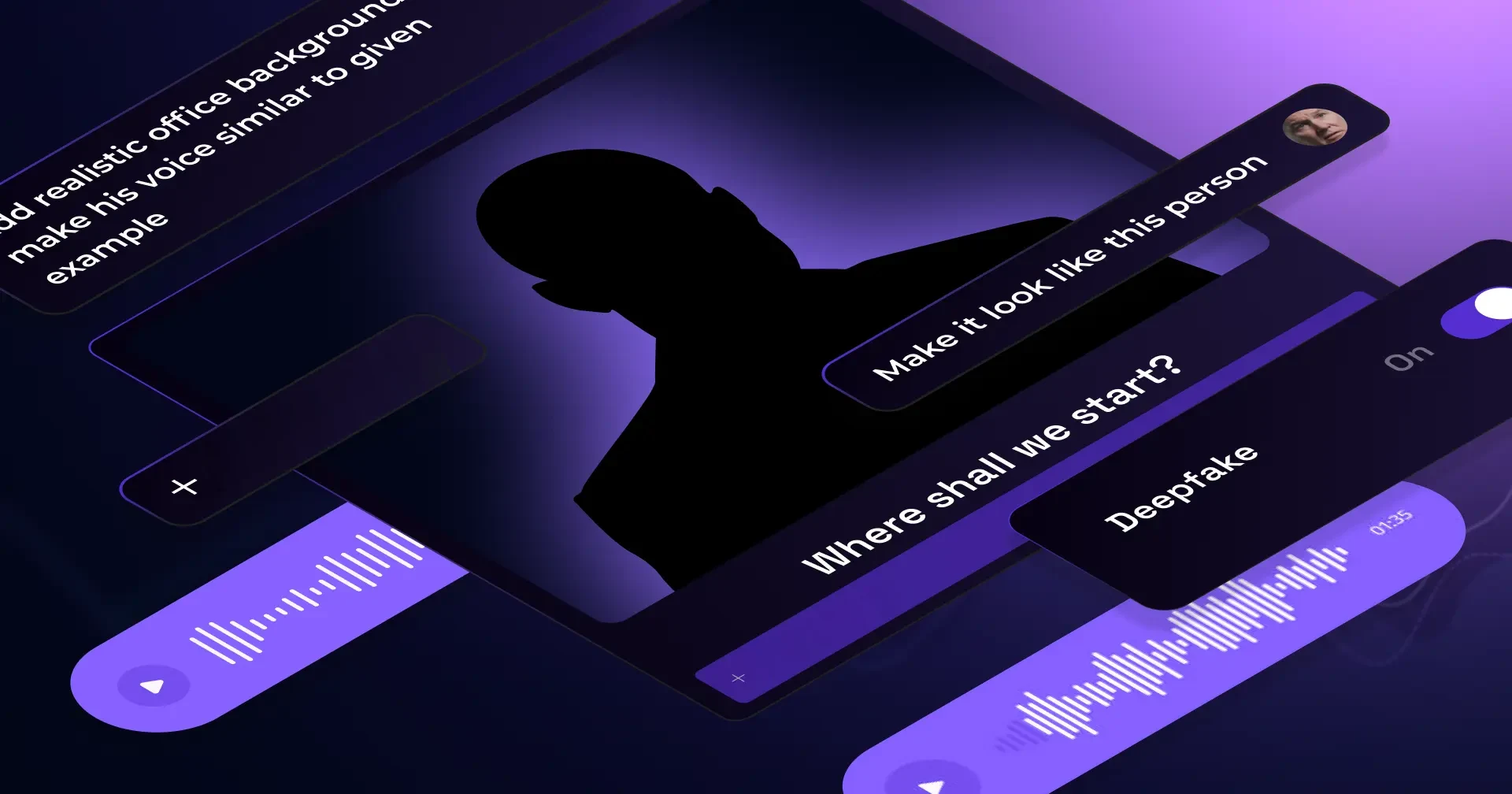
Deepfake phishing simulation software trains employees to spot AI-cloned voice and video attacks before a real one hits: a realistic phishing email leads to a fake Teams, Meet, or Zoom call where a cloned voice or face pushes an urgent action, and a wrong click triggers instant micro-training. 43% of business email compromise attacks now include a callback phishing lure like this one (Hoxhunt Phishing Trends Report 2026).
What is deepfake phishing?
Deepfake phishing is a social engineering attack in which the attacker uses AI-generated voice, video or images to impersonate someone the target trusts, usually an executive, a colleague or a supplier, and pushes them into an urgent action such as a payment, a credential reset or a data hand-over. If you run a security awareness program, this is the attack your phishing simulations have to catch up with: it reaches people through the channels they already trust, a phone call, a voice note or a video meeting, often opened by an ordinary phishing email.
How a deepfake phishing attack unfolds
- Reconnaissance: the attacker collects voice and video of the person to impersonate from earnings calls, webinars, podcasts and social media, along with the org chart and the payment workflow.
- The hook: a phishing email or message raises an urgent, confidential matter and moves the conversation to a call or a meeting.
- The impersonation: on the call, the cloned voice or face applies pressure through a deadline, secrecy or authority, and asks for the transfer or the access.
- The payout: the employee acts, and the money or the credentials are gone before anyone verifies through a second channel.
In early 2024 a finance employee at the engineering firm Arup joined a video call in which the chief financial officer and several colleagues were deepfakes, and authorized transfers worth about 25 million dollars (Financial Times).
What is deepfake phishing simulation software?
Deepfake phishing simulation software is a training technology that safely recreates AI-generated voice and video attacks, so employees can practice spotting them without any real risk. Employees receive a phishing email that leads to a fake Teams, Meet, or Zoom call, where an avatar with a cloned voice and face urges an action; if the employee takes the bait, that’s a safe fail: It immediately triggers a short, focused micro-training that builds resilience against these advanced attacks.
Platforms like Hoxhunt support multi-channel environments and can deliver either targeted benchmarks or broad awareness modules.
Key capabilities you should expect
- Multi-step, multi-channel flow: An email leads to a live call simulation, mirroring real attack paths.
- Realistic avatars: Each one uses a cloned voice and face, built only with consent, from providers we’ve checked to make sure they never store or train on your data.
- Instant micro-training: Employees get in-context coaching the moment they take a risky action. There is no public shaming, only fast feedback.
- Responsible realism: The simulation can add light glitches or lag to make a “bad connection” pretext feel real, without ever crossing psychological-safety lines.
How it differs from traditional phishing simulations
- It covers voice and video tricks as well as text and email.
- It trains people to question a suspicious request rather than trying to spot a fake video or voice: deepfakes can already look and sound real, but an unusual request stays unusual no matter how convincing the fake is.
- It focuses on high-value moments, like payments, access requests, and approvals, where a deepfake attack pays off most for attackers.
Inside Hoxhunt’s deepfake simulation workflow
Hoxhunt’s deepfake phishing simulation mirrors real attacks: A phishing email routes the user to a fake Teams, Meet, or Zoom page, a cloned-voice avatar urges an urgent action, and clicking the link in the chat triggers a safe fail with instant micro-training.
Step-by-step flow (multi-channel simulation)
- Phishing email (entry point): Users receive a realistic phishing simulation email (Outlook or Gmail) prompting a quick call. Hoxhunt’s reporting button can capture reports directly from the inbox.
- Attacker-controlled “meeting” (landing page): Clicking opens a browser page that convincingly mimics Microsoft Teams, Google Meet, or Zoom; camera and mic can be enabled, which gives it a realistic touch. Any links on the page look legitimate, mirroring what a real attacker-controlled page would show.
- AI-generated voice and avatar (deepfake voice and video): The avatar urges an urgent action, for example: opening a “SharePoint” link.
- User action A, the safe fail: If the user clicks the link in the chat, it triggers a pop-up saying it was a deepfake fraud simulation, followed by an instant micro-training. This is how Hoxhunt’s security awareness training coaches away risky behavior: the feedback is fast and contextual, and nobody is shamed in public.
- User action B, the threat reporting path: If the user suspects it was an AI-generated voice phishing, they can report the original email by clicking the Hoxhunt button. It still counts as a successful report if made before clicking the link in the chat, even if the user has clicked the link in the email (the one that opens the deepfake call).
- Admin visibility and outcomes: Admins can view campaign metrics in real time and trigger behavior-based nudges or training packages for users who show risky behavior.
Watch our live demo of Hoxhunt’s deepfake simulation.
KPIs to track (beyond “click rate”)
Use these three KPIs to quantify behavior change and reduce human cyber risk in multi-channel deepfake phishing simulation exercises.
Reporting rate (from inbox)
Definition
% of recipients who report the training phish via the Hoxhunt button before clicking the link in the chat.
Why it matters
Reinforces the “see it, report it” reflex your security awareness program is aiming for.
▲ Trend up over time (overall and by role or region)
Drop-off before action
Definition
% of recipients who join the fake Teams, Meet, or Zoom call but exit or refuse to click the link in the chat.
Why it matters
Signals that employees are catching the scam by questioning the request itself, which works even when the fake video or voice looks flawless.
▲ Trend up as training packages roll out
Final fail rate
Definition
% of recipients who click the link in the chat during the attacker-controlled meeting (simulation fail).
Why it matters
Shows how many employees would have handed over credentials or approved a fraudulent request in a real attack.
▼ Trend down overall; highlight improvements in high-risk business processes
Why the realism works but stays responsible
- Web environments closely mirror Teams, Meet, or Zoom (familiar communication channels), including camera and mic prompts and domain styling.
- The experience stays real but responsible. It’s brief and targeted. It always ends in micro-training that builds resilience against deepfake scams, focusing on changing the user’s behavior instead of making them feel guilty about having made a mistake.
Where does this fit in your security awareness program?
It works as a targeted exercise that benchmarks high-risk business processes. It can also be a key part of your broader training packages to reduce human cyber risk across the org.
Below you can walk through our deepfake simulation training at your own pace and see how it works under the hood.
Realism without risk: consent, ethics, and safety
You need simulations that are realistic without turning into “gotcha” tricks. That’s why Hoxhunt’s deepfake training only runs with the target’s consent, follows a pre-written script, and stays brief. It plays out in an attacker-style fake meeting that ends with micro-training designed to change behavior. It never makes the employee feel bad about a mistake. Reporting happens from the original email, and rollouts are targeted one-offs with spacing, followed by additional training for risky users.
1) Consent and legal guardrails (non-negotiable)
- Contractual cover: Customers sign a deepfake amendment, unless the main contract already includes clauses covering deepfakes.
- Customer-obtained consent: The customer confirms that the person being cloned has consented (one-line confirmation is sufficient).
- Consent: Hoxhunt gathers consent from the person being impersonated before building a custom scenario. Generic deepfake simulations impersonate role archetypes rather than named people, so they avoid the consent question entirely.
2) “Real but responsible” employee experience
- Cloning always requires consent, and scenarios are pre-scripted. They never turn into open-ended chats.
- Interactions stay short and respectful. They never turn into a drawn-out back-and-forth.
- Clicking the link in the chat leads to an “Oops, that could have been dangerous” learning moment. This way, employees get a quick piece of micro-training that helps them learn from their mistake in a fun way, and nobody is punished.
3) Designed limits that keep risk low
- Browser-based environment: Simulations run in browser-based look-alikes of Teams, Meet, or Zoom; we can add light lag or glitch effects to sell the pretext, but we cap the realism there, so the experience never feels more stressful than necessary.
- Clear end state: Clicking the link in the chat is the defined “fail,” which triggers instant coaching. Exiting the call before clicking avoids the fail and counts as a good outcome.
- Reporting path: Employees report from the original email using the Hoxhunt button; there’s no way to report from inside the fake meeting page. A report still counts as success if made before clicking the link in the chat.
4) Cadence and content strategy (avoid training plateaus)
- Rollouts run as a targeted one-off simulation for a single group, such as finance, executive assistants, or approvers, then let the buzz settle before re-testing during regular training refreshers.
- Additional training ties directly to user behavior, such as fails or risky clicks. It uses short, ready-made modules instead of long-form courses, keeping things lightweight.
Use cases and rollout: where deepfakes fit in your phishing campaigns
Deepfake simulations work best where real-world threats hurt most: executive impersonation and business email compromise (BEC) approvals, vendor fraud (an attacker posing as a supplier to redirect a payment), and IT support pretexts. Success means better reporting rate, faster drop-off, and fewer fails across your phishing campaigns and simulation programs.
High-impact use cases (pair with realistic scenarios)
- Executive impersonation and BEC approvals: A cloned CEO or CFO on a quick call pushes an urgent wire or bank-detail change, a classic business email compromise pattern. Then, in the chat, they drop a link that leads to a credential harvester.
- Vendor fraud in finance: Attackers send a fake “updated remit info” or “invoice about to bounce” message by email, then follow up with a call, targeting approvers and accounts payable (AP) analysts.
- IT support scams: Attackers send a “Reset now, verify device” message inside a fake Teams, Meet, or Zoom room, and then drop a SharePoint or SSO (Single Sign-On) look-alike link in the chat.
- Multi-channel pretexting: Sequencing an email with a follow-up call boosts credibility, especially when voice messages are added to mirror AI-powered voice phishing.
Who to target first (and why)
- Finance, executive assistants, and approvers face the highest monetary risk from fraud attempts and BEC.
- IT and service desk face credential theft and policy bypass pressure.
- The broader organization faces lower risk, but still gets short training modules to build baseline recognition.
Rollout pattern we recommend
- Targeted benchmark (one-off): Launch it to a defined cohort.
- Space it: Let the buzz cool before delivering micro-training or ready-made modules to those who struggled.
- Re-test: Run a new scenario through the same process, and look for improvement over time in measurable behavior: more reports, more safe drop-offs, and fewer fails.
- Close the loop: Use analytics to trigger additional training, keep ongoing training lightweight, and avoid long-form defaults that cause training plateaus.
Getting started: deployment, consent and customization
A deepfake phishing simulation program can go live in just weeks, with a small team and a short setup process. Here’s how it comes together.
Step-by-step rollout
- Choose the scenario and cohort: Start where business email compromise or approvals hurt most (finance and AP, executive assistants, approvers; IT for credential resets). Keep the scenario anchored to real-world threats.
- Consent and contract: Confirm that the person’s likeness and voice are used with their consent. Bear in mind that Hoxhunt’s providers do not train models or store your content.
- Capture assets: Record one to two minutes of the subject’s voice (or use approved samples), then supply a still image or video plus a script. There are two avatar options: fully consented capture (the most realistic) or a photo plus a short voice sample (the lower-effort route).
- Delivery: Custom scenarios are scoped and delivered through your Customer Success Manager.
- Launch the drill (realistic but safe): Send a simulated phishing email that routes to a browser-based Teams, Meet, or Zoom look-alike, where the cloned-voice avatar triggers the same safe-fail flow described earlier.
- Define success before go-live: Remember the key metrics from earlier, defined here for this specific rollout:
- Reporting rate (from inbox): users who report via the original email before clicking the link in the chat.
- Drop-off before action: users who exit the fake call without clicking.
- Final fail rate: users who click the link in the chat (the endpoint).
- Close the loop with training: Trigger micro-training or training modules for users who showed risky behavior during the drill.
- Re-test for proof: Space out simulations, swap in a fresh scenario, and re-run it to prove fewer phishing clicks and real behavior change across your campaigns.
Deepfake phishing simulation vendor comparison table
A snapshot of where Hoxhunt sits against other deepfake and phishing-simulation vendors, based on public product information.
| Vendor | Realism and attack | Reporting and analytics | Training modules |
|---|---|---|---|
| Hoxhunt: Custom Deepfake Attack |
|
|
|
| Proofpoint Phishing Simulations |
|
|
|
| Phished |
|
|
|
| Living Security |
|
|
|
| Abnormal Security (AI Phishing Coach) |
|
|
|
| Breacher.ai |
|
|
|
| Adaptive Security |
|
|
|
| Revel8 |
|
|
|
| Open-source or DIY (Phishing Frenzy plus a voice simulator) |
|
|
|
How attackers use deepfakes in phishing today
A cloned voice on a phone call is voice phishing, usually shortened to vishing, and it is the channel organizations report being hit on most. Attackers combine voice cloning and avatar video with multi-channel pretexting to impersonate trusted people. They scrape org intel (like LinkedIn or email signatures), spoof caller ID or domains, lure targets into a fake Teams, Meet, or Zoom page, then push urgent actions such as credential theft, a fraudulent wire transfer, or vendor fraud.
Two documented cases show the range, from plain voice phishing to deepfake-backed spear phishing. In 2024 Microsoft Threat Intelligence tracked Storm-1811, a group that phoned employees while posing as IT or help-desk staff, talked them into granting Quick Assist remote access, and used that foothold to deploy Black Basta ransomware (Microsoft Threat Intelligence, May 2024). The Hoxhunt Phishing Trends Report 2026 tracks “The COM”, an alliance formed in 2025 by the Scattered Spider, LAPSUS$ and ShinyHunters crews that specializes in spear phishing backed by deepfake voice and video, and links it to the MGM, Jaguar Land Rover and Salesforce breaches (Hoxhunt Phishing Trends Report 2026, p. 18).
Encoder-decoder architecture
The process starts with the encoder, a neural network that compresses input data, a face image, for example, into a smaller representation called a latent space. This latent space keeps only the most essential features (shape, structure, texture, expression, angle, lighting) and drops the rest, which is what lets the model efficiently manipulate and recombine those features to generate new outputs.
The decoder then takes that compressed representation and reconstructs it into a full image; for deepfakes, it takes the latent representation of one face and generates the face of another, effectively swapping features between the two.

Generative adversarial networks (GANs)
Deepfake technology relies on a type of deep learning called Generative Adversarial Networks (GANs), built from two neural networks:
Generator
This network generates fake data (such as images or video frames) that resembles real data. Its goal is to create content so realistic that the Discriminator cannot tell it apart from actual data.
Discriminator
This network evaluates the data and tries to distinguish between real and fake content. It essentially acts as a critic, judging whether the content produced by the Generator is authentic or fake.
During training, the Generator and the Discriminator are pitted against each other: The Generator tries to create increasingly convincing fakes while the Discriminator gets better at spotting them. Over time, that back-and-forth sharpens the Generator until it produces images or videos that the Discriminator, and increasingly the human eye, can no longer tell apart from the real thing.
How the model is trained
The GAN is trained on vast datasets of real images, audio, or video, depending on the type of deepfake being created. To build a deepfake video of a specific person, for example, the model trains on thousands of images or clips of that person’s face, capturing a range of angles, expressions, and lighting conditions. The more diverse and comprehensive that training data is, the more convincing the result: The GAN keeps iterating on the deepfakes it produces until the Generator’s output is virtually indistinguishable from the real thing.
How the trained model generates a deepfake
Once trained, the GAN can generate deepfake content: manipulating a video by altering the subject’s facial expressions, syncing their lips to different audio, or replacing their face entirely with someone else’s. The result looks authentic, even though it has been artificially created or manipulated. GANs are typically used in a couple of different ways:
Face swapping
The Generator replaces the face of a person in a video with the face of another person, maintaining natural expressions and movements.
Voice cloning
GANs can also be used to create deepfake audio by cloning a person’s voice. The model is trained on recordings of the person speaking, learning to mimic their tone, pitch, and speech patterns.
What signals they exploit (why people fall for it)
- A familiar voice adds authority and urgency (e.g., “I’m boarding, do this now”).
- Familiar communication channels, like Microsoft Teams, Google Meet, or Zoom, lower suspicion.
- People still widely trust caller ID and domain names today.
- Remote and hybrid workflows push quick approvals off the email trail, where they’re harder to verify.
Deepfake statistics
Deepfake attacks on organizations are now routine, and the tooling behind them is cheap:
- 62% of organizations experienced at least one deepfake attack in the previous 12 months, 43% on an audio call and 37% on a video call, in Gartner’s 2025 survey of 302 cybersecurity leaders (Gartner, September 2025).
- Deepfake fraud attempts rose 1,300% in 2024, from about one a month to seven a day, across the 1.2 billion customer calls Pindrop analyzed (Pindrop 2025 Voice Intelligence and Security Report).
- McAfee’s researchers needed three to four seconds of recorded voice to produce a clone with an estimated 85% match using a free online tool (Beware the Artificial Impostor, May 2023).
These trends are accelerating: Hoxhunt’s 2026 data found AI-generated phishing surged roughly 14× at the end of 2025, jumping from under 5% to 56% of detected attacks in a single month (Hoxhunt Phishing Trends Report 2026). That means the realism captured in the statistics above is no longer an edge case; it is becoming the default an employee will face.
The capability gap is closing on the attacker side too: In Hoxhunt testing, AI spear-phishing agents now beat elite human red teams (professional simulated-attack specialists) at getting people to click (Hoxhunt Phishing Trends Report 2026, p. 49). When artificial intelligence can craft a more convincing lure than a trained professional, employees need to practice against that same level of realism.
43%
of business email compromise attacks now include a callback phishing lure that draws the victim into a fraudulent follow-up phone call
56%
of detected attacks were AI-generated phishing by the end of 2025, up from under 5% a month earlier, roughly a 14× surge
What this means for defenses and training
That gap needs to close on the training side too. Here’s what to do about it:
- Train reflexes and “the pause” over visual scrutiny: Assume visuals can look perfect.
- Rehearse multi-channel scenarios inside your security awareness program: an email that leads to a meeting that leads to a request.
- Measure what matters in deepfake phishing simulations: reporting rate (from inbox), drop-off before action, and final fail rate, and use behavior-based nudges for users who exhibit risky behavior.
Proof that realistic, high-volume practice works
What really changes employee behavior? It’s repeated practice against realistic lures. That kind of varied, repeated exposure is what prepares your workforce for deepfake-grade attacks.
United States
Uber
Global mobility, two-person security awareness team
- 100,000+ phishing simulations run across more than 500 scenarios
- 60% → 90%+ training completion
- +54% security maturity improvement
Europe
Kverneland Group
2,623-employee agricultural machinery manufacturer, Norway
- 10,522 simulations completed across 8 countries
- 24.75 resilience ratio, with an 81.8% engagement rate
- 3.3% failure rate against a 68.1% success rate
What to teach employees about deepfake phishing
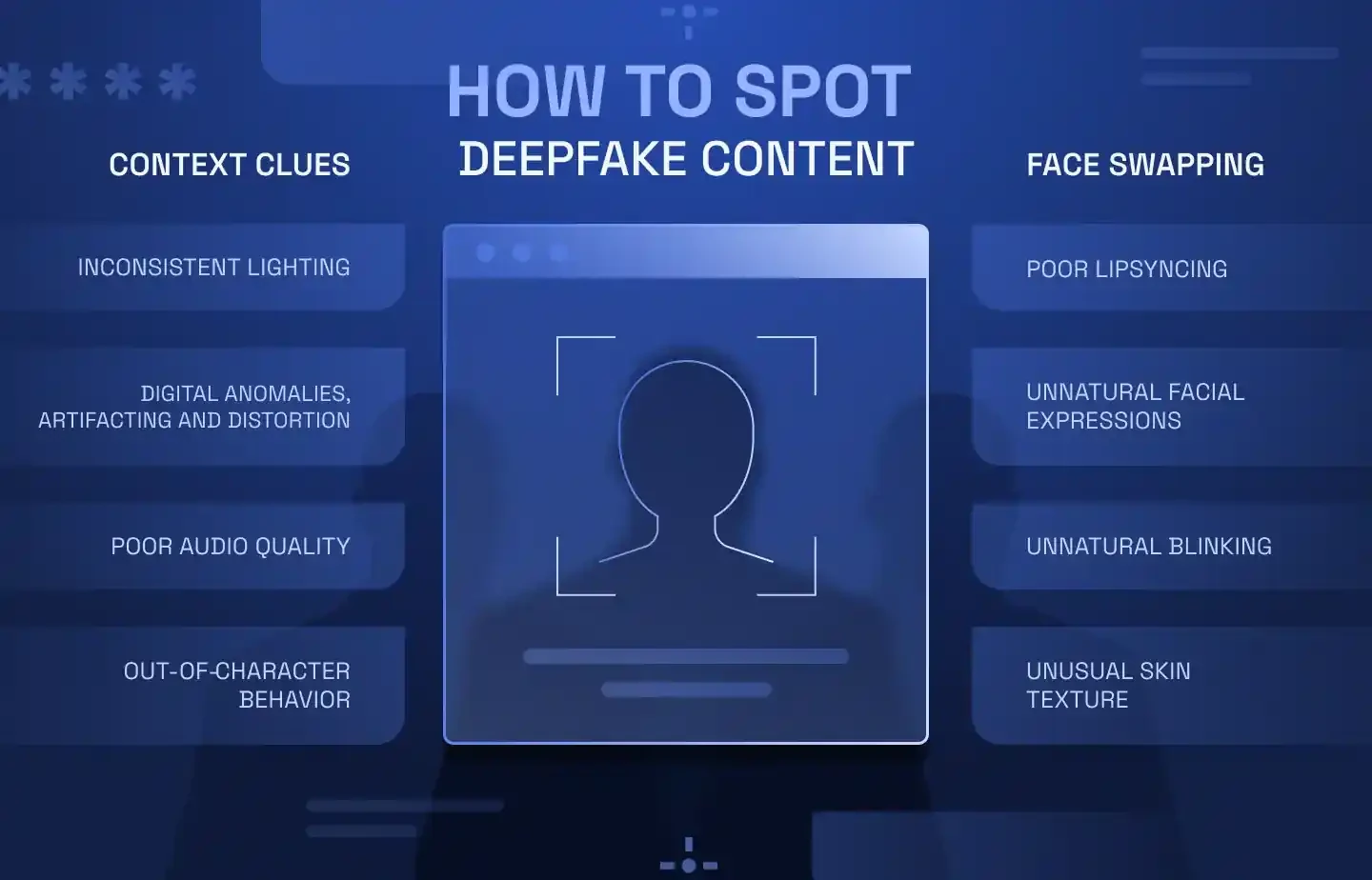
The best approach is to coach your employees to verify the premise. Spotting flaws in the video isn’t enough anymore, because deepfake quality keeps improving, and a video or voice clone that looks flawless is no longer a reliable signal on its own.
1) Teach the reflexes (deepfakes can get around typical red flags)
- Warning signs: The message uses authority and urgency, makes an out-of-process ask (like payments or credential verification), or arrives through an unusual channel for the task.
- Coach the reflex: Ask “Why me, why now, why this channel?”, then verify out-of-band, through a different channel than the one the request came in on.
- Rationale: As deepfake quality rises, glitch-spotting becomes unreliable, but an odd, out-of-process request is still a red flag no matter how convincing the video looks.
2) Teach voice/call protocols (AI-generated voice phishing)
- Caller ID: Treat it as untrusted; spoofing internal names or extensions still works today.
- Callback lures: Many voice attacks start with an email or text that asks the employee to phone a number. Callback phishing campaigns rose 500% in Q4 2025 (Hoxhunt Phishing Trends Report 2026, citing VIPRE), so employees should dial the number in the company directory and leave the number in the message alone.
- Verification playbook: Hang up, call back via the directory, or message on Slack or Teams; agree on passphrases with frequent contacts in advance. The FBI’s December 2024 alert on AI-enabled fraud gives the same three steps: hang up, look up the organization’s number yourself and call it, and agree a secret word with the people who may call you about money (FBI IC3, December 2024).
3) Teach meeting/link hygiene (fake meeting rooms)
- Pattern to expect: An email lure leads to a browser-based Teams, Meet, or Zoom clone that asks for camera and microphone access the same way a real video call would, which is what makes the fake meeting convincing.
- Golden rule: The link in the chat is always the payload, often a SharePoint or SSO look-alike page. Exiting before clicking counts as success.
4) Teach the reporting flow (maps to KPIs)
- Report from inbox: In Hoxhunt, users can report via the Hoxhunt button on the original email; it still counts as success even if they already joined the call, which increases the reporting rate.
- Safe exits: Leaving the fake call without clicking is a good outcome that increases drop-off before action.
- Avoid the click: Do not open the link in the chat, which lowers the final fail rate.
5) Teach process boundaries for high-risk workflows
- Finance and vendor fraud: Never approve an urgent wire transfer or bank-detail change on a live call; re-route to the documented process instead.
- IT support scams: Never share credentials over voice; use official reset flows instead.
- Executive impersonation: Verify unexpected deepfake CEO messages out-of-band.
Why deepfake phishing needs specialized simulation tools
Most phishing simulation tools teach link-spotting in email. Deepfake attacks weaponize artificial intelligence across channels: an email lure leads to a fake Teams, Meet, or Zoom call, and a cloned voice or avatar makes the urgent request. To build strong cybersecurity habits, your program must rehearse these realistic scenarios, measure behavior (report, drop-off, fail), and refresh training content beyond generic templates.
What basic programs miss
- Email-only focus: Basic programs stay email-only, but real attackers chain channels, so simulations need to mirror that multi-vector realism, from the inbox to the meeting clone to the link in the chat.
- Visual-glitch bias: Basic programs lean on “spot the glitch” training, but as deepfake quality rises, that stops working. Checking the premise of a request still holds up, even under pressure.
- Training plateaus: Basic programs rely on stale, generic templates and long-form modules, which stall engagement and learning. A rotating library of templates and short, focused lessons keeps it fresh instead.
To build the broader security awareness program around these defenses, read our phishing simulation best practices playbook, compare platforms in our guide to the best phishing simulation tools, and see how the same AI powers AI phishing attacks across the inbox.
Sources
- Contextualizing Deepfake Threats to Organizations, NSA, FBI & CISA
- Threat actors misusing Quick Assist in social engineering attacks leading to ransomware, Microsoft Threat Intelligence
- Business Email Compromise: The $55 Billion Scam, FBI IC3
- Arup lost $25mn in Hong Kong deepfake video conference scam, Financial Times
- Number spoofing scams, Ofcom
- Guide for Preparing and Responding to Deepfake Events, OWASP GenAI Security Project
- Why CIOs Can’t Ignore the Rising Tide of Deepfake Attacks, Gartner, September 2025
- Pindrop’s 2025 Voice Intelligence & Security Report Reveals +1,300% Surge in Deepfake Fraud, Pindrop, June 2025
- Beware the Artificial Impostor, McAfee, May 2023
- Criminals Use Generative Artificial Intelligence to Facilitate Financial Fraud, FBI IC3, December 2024
Deepfake phishing simulation software FAQ
Does this integrate with Outlook/Office 365?
Yes. Hoxhunt’s single phish alert button works across Outlook (Office 365) and Gmail, so employees always click the same button no matter which threat they’re reporting, and admins only have one integration to manage. Use it to capture reports from simulated phishing emails and real threats.
How “deep” is the simulation (email-only vs multi-channel)?
For real phishing simulation depth, Hoxhunt pairs a realistic email lure with an attacker-controlled fake meeting (Teams, Meet, or Zoom), complete with camera and mic prompts and believable phishing domains, ending with the payload: a link dropped in the chat. That is multi-vector realism, which a basic phishing scenario never reaches.
What KPIs and dashboards should we expect?
Good KPI dashboards go beyond phishing click rates. They track behavior signals such as reporting rate, drop-off before action, and final fail rate, and present clear risk visuals in executive dashboards that different stakeholders can use (like security leadership, compliance teams, or the board). Those outcomes tie to Human Risk Management and business risk metrics.
Can we run templates and deepfakes side-by-side?
Yes. Rotate a library of phishing templates that cover traditional email-based threats, alongside deepfake phishing attacks, to represent the broader threat posture. Keep lessons micro, and avoid bloated, one-size-fits-all training. This way you’ll prevent training plateaus and you’ll see faster measurable improvement.
How is this “realistic but safe” for employees?
Scenarios are pre-scripted, short, and end in a quick coaching moment. They never turn into a public callout. Users can report from the original email (counts as success) or leave the call without clicking (good outcome). That builds strong cybersecurity habits in security awareness training.
What about forensic reporting on the payload?
The safe fail is the link in the chat (often a SharePoint or SSO look-alike). You get clean, comparable endpoints for forensic reporting and trendlines across phishing campaigns (who clicked the link, who exited before it, and who reported it).
Should we use Proofpoint Phishing Simulations or an open-source tool like Phishing Frenzy instead?
It depends on how deep you want the drill to go. Both run email phishing simulations: Proofpoint inside its security suite, and Phishing Frenzy as a self-hosted open-source tool you script yourself. If you want the deepfake part of the exercise, the email that leads to a fake Teams, Meet or Zoom call with a cloned voice, check whether the tool supports multi-channel simulations and consent workflows before you commit. Hoxhunt runs that flow as one integrated exercise, with the behavior KPIs in the same dashboard.
How do we map analytics to user training?
Reporting and analytics trigger micro-training for risky user behavior (fails, hesitant drop-offs), which drives risk scoring, targeted user training, and improvement over time.
Any tips for social-engineering verification (voice phishing)?
Security teams should teach employees to distrust caller ID, drop the call, and verify with the real person directly on Slack or Teams, or call back via the company directory. Passphrases for frequent contacts help reduce voice phishing impact.
Get more cybersecurity insights like this
- Subscribe to All Things Human Risk to get a monthly round up of our latest content
- Request a demo for a customized walkthrough of Hoxhunt
.webp)